Supported Social Platforms
Last updated: June 26, 2026
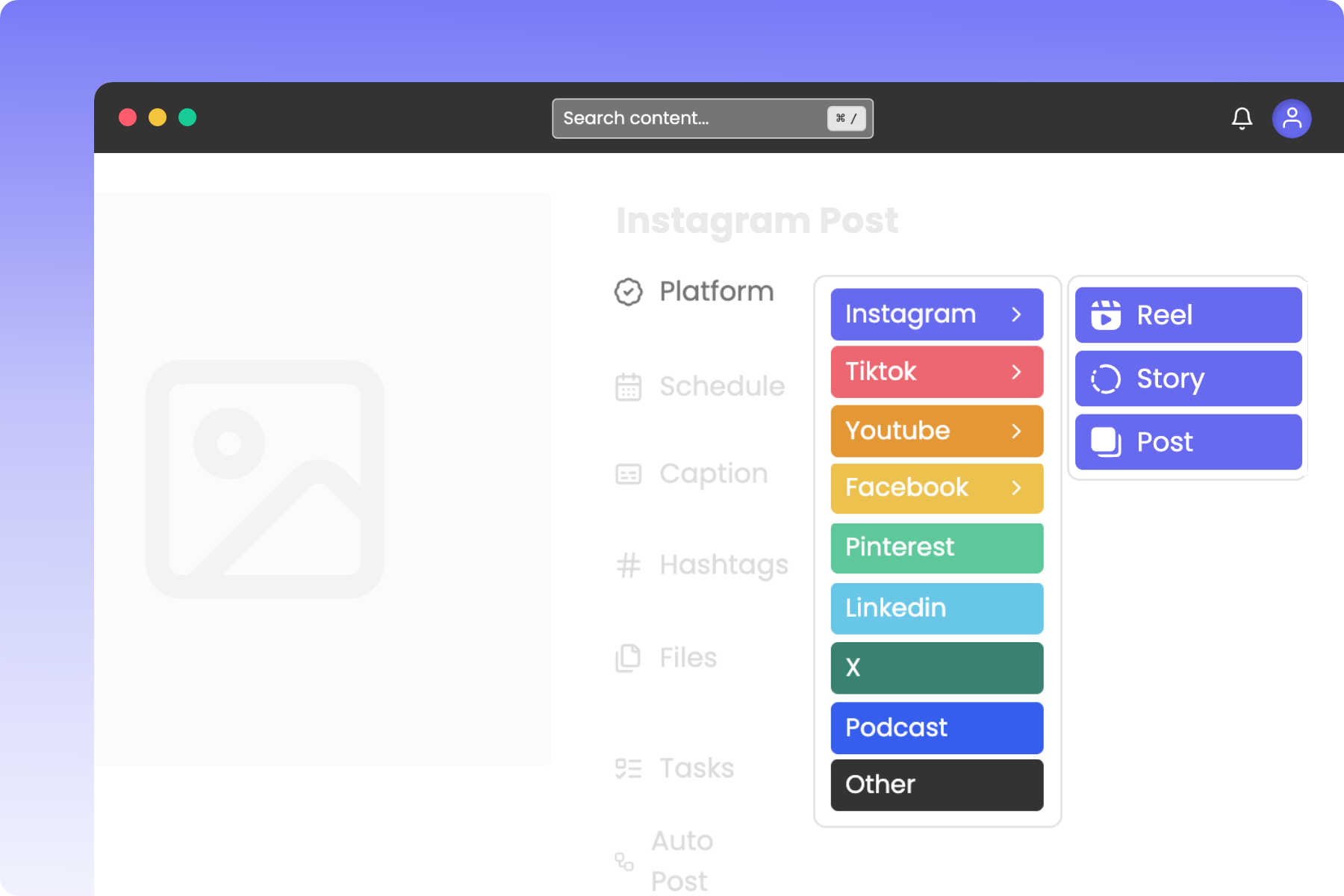
Supported Social Platforms
Rella supports planning for the following platforms:
Instagram (Posts, Reels, and Stories)
Facebook (Posts, Reels, and Stories)
TikTok (Videos and Photos)
YouTube (Videos and Shorts)
LinkedIn (Personal and Organizations)
Pinterest
Threads
X/Twitter
Podcasts
This reference page serves as the source of truth for Rella's supported social platforms, including auto-publish requirements, allowed media formats, and caption character limits.
Overview of Platform Limits
Social Space Platform | Supported Content Types | Character Limit | Max Media Items | Mixed Media Allowed? |
|---|---|---|---|---|
Posts, Reels, Stories, Trial Reels (with cover photo) | 2,200 | 10 (Post/Story), 1 (Reel) | Yes (Posts & Stories) | |
TikTok | Videos (video frame selection to be used as a cover photo), Photos | 2,200 | 35 (Photos), 1 (Video) | No |
YouTube | Videos, Shorts | 5,000 | 1 video | No |
Posts, Reels (with cover photo), Stories | 63,206 | 10 (Post/Story), 1 (Reel) | Yes (Stories only) | |
Posts, Documents | 3,000 | 20 images, 1 PDF | No | |
Posts (Pins) | 500 | 5 images or 1 video | No | |
X (formerly Twitter) | Posts | 280 | 4 pieces | Yes |
Threads | Posts | 500 | 10 pieces | Yes |
Google Business Profile | Posts, Events, Offers | 1,500 | 1 photo | No (No videos) |
Detailed Platform Specifications
Plan and auto-publish your Instagram feed Content, Stories, and Reels directly from your Social Space.
Supported Content Types: Post, Reel, Story, Trial Reel.
Caption & Text Limits:
Character limit: 2,200 characters (includes both your caption text and any hashtags added from Rella's hashtags field).
Mentions limit: Maximum of 20 mentions in your caption.
Hashtags limit: Maximum of 30 hashtags total (including hashtags in the caption text and explicit hashtags from the hashtags field).
Collaborators limit: Maximum of 3 collaborators.
Media Specs:
Posts (Carousels): 1 to 10 images or videos. Carousels require a uniform aspect ratio. Supported formats include JPEG, JPG, PNG, WEBP, MP4, and MOV.
Reels: Exactly 1 video and 1 optional cover image.
Stories: 1 to 10 media items. Supported formats include JPEG, JPG, PNG, WEBP, MP4, and MOV.
TikTok
Auto-publish TikTok videos and photo slides directly to your linked account.
Supported Content Types: Video, Photo.
Caption Limit: 2,200 characters (includes caption and hashtags).
Media Specs:
Video: Exactly 1 video and 1 optional video frame selection (to be used as a cover photo - at this time, TikTok does not support uploading a custom cover photo). Supported formats include MP4, WEBM, and MOV. File size must be under 4 GB. Duration must be between 1 and 600 seconds. Resolution must be between 360px and 4096px for both width and height. Framerate must be between 23 and 60 FPS.
Photo: 1 to 35 photos. Supported formats include JPEG, JPG, WEBP, and PNG. Other formats are accepted and converted automatically at publish. File size must be under 20MB per photo. Dimensions must be under 1080px width and 1920px height.
Platform Rules: Mixed media (combining photos and videos in one upload) is not supported for auto-publishing.
YouTube
Schedule and upload your long-form videos or YouTube Shorts directly to your channel.
Supported Content Types: Video, Short.
Description Limit: 5,000 characters.
Media Specs:
Video: Exactly 1 video. File size must be under 256 GB. Duration must be between 1 second and 12 hours (43,200 seconds).
Short: Exactly 1 video. Duration must be between 2 and 180 seconds. A vertical 9:16 aspect ratio is highly recommended (aspect ratio must be between 0.5 and 1.0).
Platform Rules:
Important: You cannot include the characters
<or>in your caption, title, or hashtags due to YouTube API safety restrictions. Any posts containing these characters will fail validation.
Manage and auto-publish Content directly to your connected Facebook Pages.
Supported Content Types: Post, Reel, Story.
Caption Limit:
63,206 characters.
Include mentions with the "@" symbol followed by a username or URL. Facebook mentions are available for pages only. Mentions are not supported for personal Facebook profiles.
Media Specs:
Posts: Text-only, 1 to 10 images, exactly 1 video, or multiple videos.
Reels: Exactly 1 video and 1 optional cover image.
Stories: 1 to 10 media items. Mixed media (images and videos together) is supported for Stories.
Schedule and share professional updates or PDF presentations to your personal profile or company Page.
Supported Content Types: Post, Document.
Caption Limit: 3,000 characters (includes caption and hashtags).
Media Specs:
Post (Images): 1 to 20 images. Supported formats include JPEG, JPG, PNG, and WEBP. File size must be under 8MB per image. Total image resolution must be under 36,152,320 pixels.
Post (Video): Exactly 1 video and 1 optional thumbnail image. File size must be between 75KB and 500MB. Duration must be between 3 and 1,800 seconds (30 minutes). Maximum width is 1920px.
Document: Exactly 1 PDF file. Maximum file size is 100MB.
Platform Rules: LinkedIn does not support mixed media auto-publishing. You must post only images, only a single video, or only a single PDF document.
Publish high-quality pins directly to your selected Pinterest boards.
Supported Content Types: Post.
Caption Limit: 500 characters (includes caption and hashtags).
Media Specs:
Post (Images): 1 to 5 images. Supported formats include JPEG, JPG, and PNG. File size must be under 20MB. Aspect ratio must be between 0.5 and 1.91.
Post (Video): Exactly 1 video. File size must be under 2 GB. Duration must be between 4 and 900 seconds. Aspect ratio must be between 0.5 and 1.91. Max width is 1920px.
Platform Rules: Pinterest does not support mixed media auto-publishing. You can post only images or a single video.
Pin Details: The Board, Pin Title, and Destination URL fields are all preserved independently. Selecting or changing the board does not affect the pin title or destination URL you've entered.
X (formerly Twitter)
Compose and auto-publish tweets to your feed.
Supported Content Types: Post.
Caption Limit: 280 characters.
Media Specs:
Post (Images): 1 to 4 images. Supported formats include JPEG, JPG, PNG, and WEBP. Other formats are accepted and converted automatically at publish. File size must be under 5MB per image. Aspect ratio must be between 0.1 and 10.
Post (Video): Exactly 1 video. Supported formats include MP4 and MOV. File size must be under 512MB. Aspect ratio must be between 0.33 and 3. Duration must be between 0.5 and 140 seconds. Framerate must be between 23 and 60 FPS. Dimensions must be between 32px and 1280px width, and 32px and 1024px height.
Mixed Media: Up to 4 items of mixed media (images and video) are supported.
Threads
Share updates, images, and videos with your Threads audience.
Supported Content Types: Post.
Caption Limit: 500 characters.
Media Specs:
Post (Images): 1 to 10 images. Supported formats include JPEG, JPG, PNG, and WEBP. File size must be under 8MB per image. Aspect ratio must be between 0.1 and 10.
Post (Video): Exactly 1 video. Supported formats include MP4 and MOV. File size must be under 1GB. Aspect ratio must be between 0.01 and 10. Duration must be between 1 and 300 seconds. Max width is 1920px.
Mixed Media: Up to 10 items of mixed media are supported.
Google Business Profile
Post updates, special offers, and events to keep your customers informed.
Supported Content Types: Post, Event, Offer.
Caption Limit: 1,500 characters.
Media Specs:
Post: Exactly 1 photo per post. Multi-photo posts are not supported for auto-publishing. On multi-platform posts, this limit applies to the Google Business Platform portion only and does not affect other platforms included in the same post.
Event Posts: For Event and Offer post types, the end date/time must be set after the start date/time. The editor enforces this automatically — if you set a start time later than the current end time, the end time adjusts forward by 1 hour. If the constraint is violated, an inline error appears beneath the schedule section: End time must be after start time.
Platform Rules: Google Business Profile does not support video auto-publishing in Rella at this time.
Frequently Asked Questions
Does Rella support auto posting?
Yes, with Rella you can connect social accounts to schedule and auto post content!
Do I need to link a platform to plan?
Unlike other content management tools, you can plan content on Rella without linking a platform! If you’re looking to auto post you’ll need to link social accounts to Rella.
Can I link more than one profile per platform?
If you’re looking to manage more than one profile per platform (ex: two Instagram accounts) you’ll need to add each profile to separate Social Spaces.
Can I repurpose content to multiple platforms?
To plan content for multiple platforms with separate schedule dates or captions, navigate to the “Repurpose content” option attached to the Platform field. Repurposing will split the multi-platform post into individual pieces of content for each platform.
I don’t see the platform I’m looking for
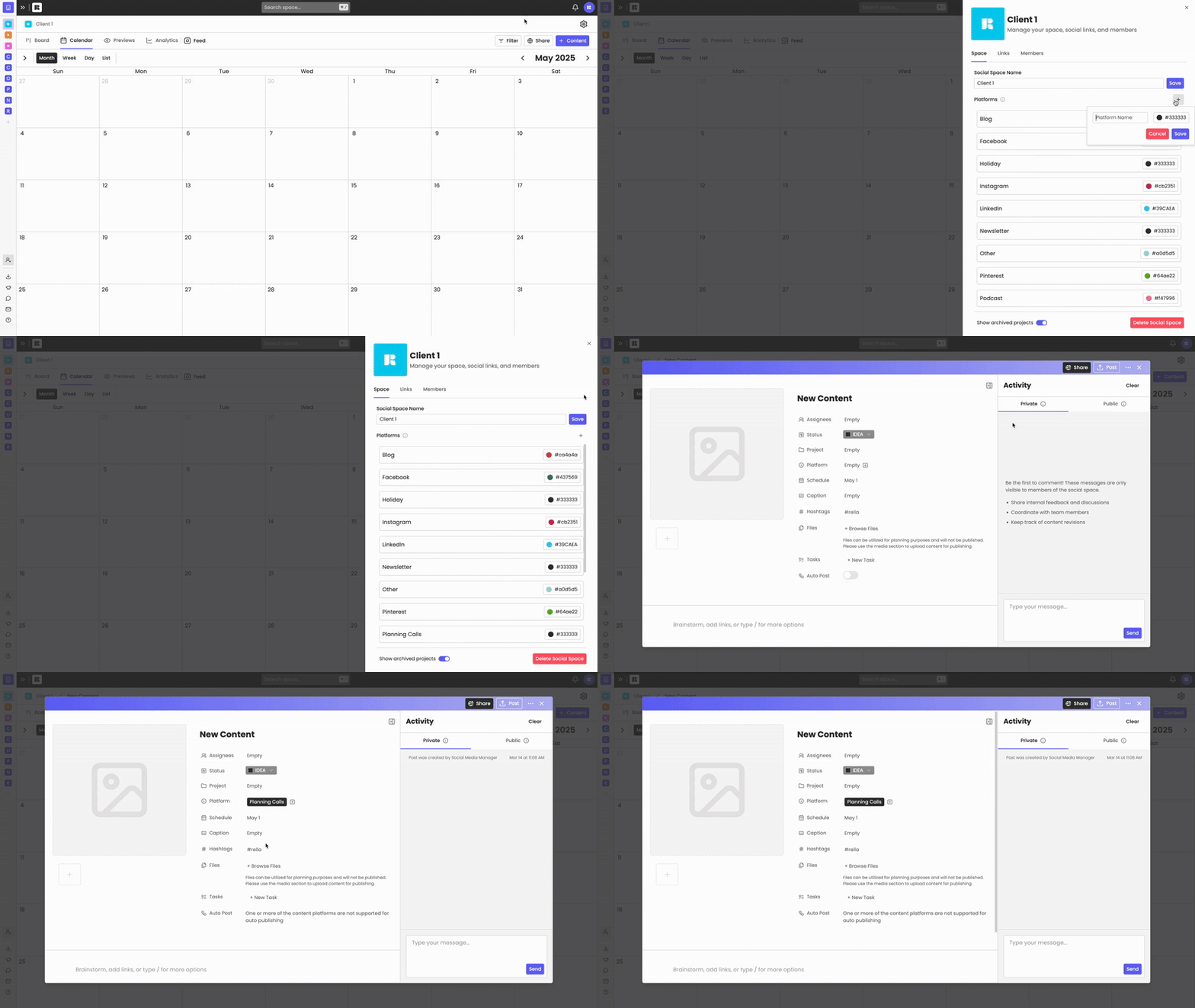
Select “Other” or create a custom platform to plan for content not associated with a platform supported on Rella.