Work Smarter with Ella's AI Assistance
Last updated: June 2, 2026
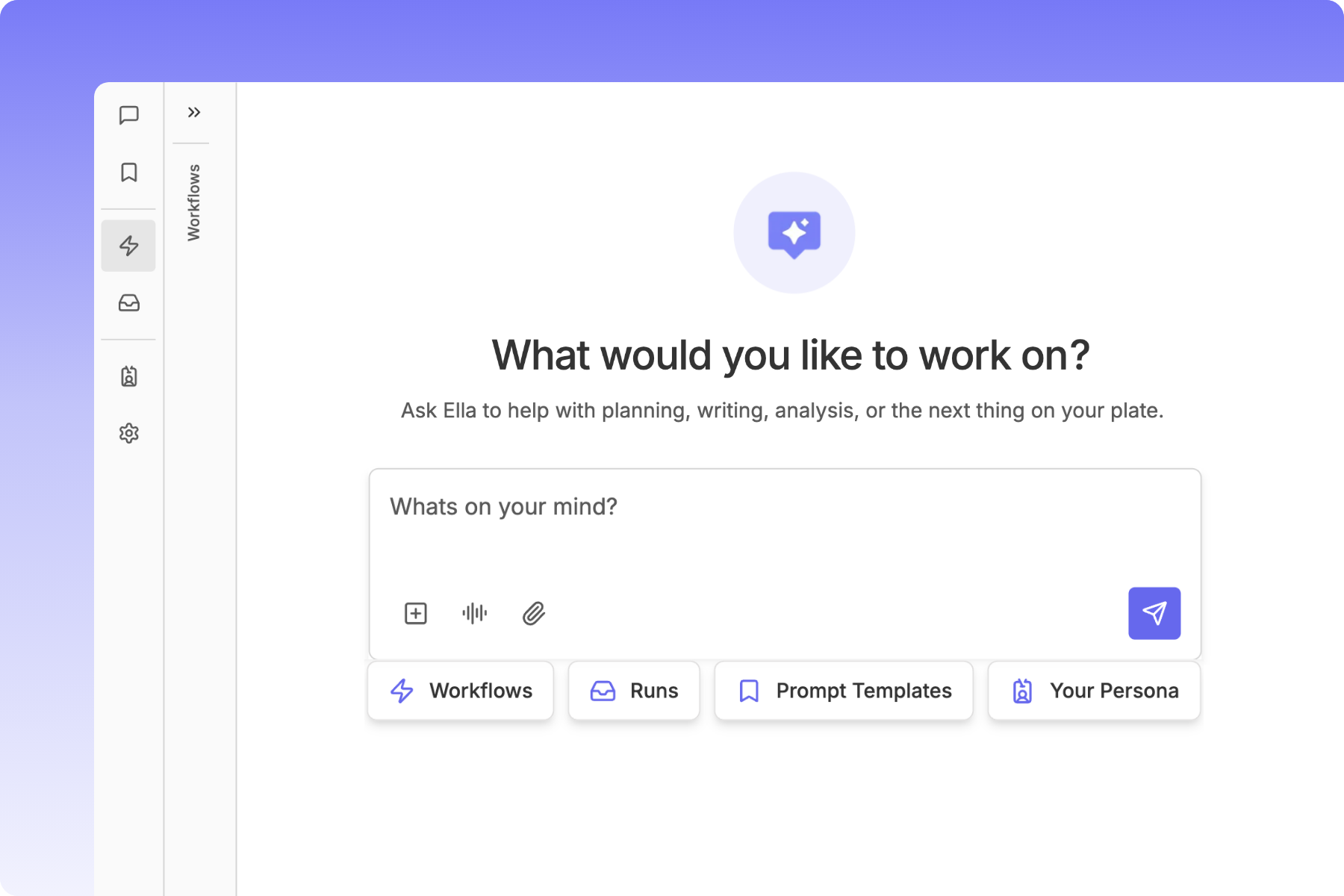
What Is Ella?
Meet Ella your AI-powered teammate. Ella handles recurring tasks, surfaces insights, creates content calendars, keeps clients in the loop, and takes action inside your Rella automatically.
Included in Rella Premium and Premium Plus plans with flexible AI usage options. Learn more.
Ella’s Capabilities
Here are a few ways social media marketers use Rella to save time and boost results:
Analysis & Strategy: Build strategic content calendars based on your past performance, goals, and audience insights. Let Ella analyze your account and recommend what content types, topics, or posting times are working best, so your next campaign is driven by data, not guesswork. Share those AI insights with clients via reports.
Caption Writing: Generate first drafts, rewrite old posts, and fine-tune copy in your brand voice. Quickly create content that feels customized and on-brand without starting from scratch.
Insights & Recommendations: Analyze your connected accounts and highlight what’s working, what’s not, and what to try next.
Video Summaries: Let Ella watch your long-form or short-form video content and suggest post captions, titles, and CTAs.
Content Repurposing: Turn top-performing posts into new formats (ex: repurposing a Reel caption into a carousel or a YouTube video into a LinkedIn post).
Planning: Use Ella’s suggestions to quickly fill in gaps in your content calendar, whether you need fresh ideas or smarter spacing between post types.
Task Management: Let Ella be your second brain. From content deadlines to client deliverables, Ella organizes your tasks so you can focus on the creative work.
Trend Sourcing: Ella is capable of internet searching! Ask Ella to recommend current trends within your industry.
Ella’s capabilities are always expanding, she gets smarter the more you use her!
Dashboard
Access Ella in the top right of your Rella workspace. On the left side of Ella’s dashboard, you’ll find a navigation panel to interact with core features:
Conversations: your active and past Ella chats
Prompts: Saved and curated templates
Workflows: Build and automate processes
Runs: History of all workflow executions
Persona: Brand voice and identity guidelines
Settings: Workflow Usage, Ella Spend & Limits, Memories
Conversations
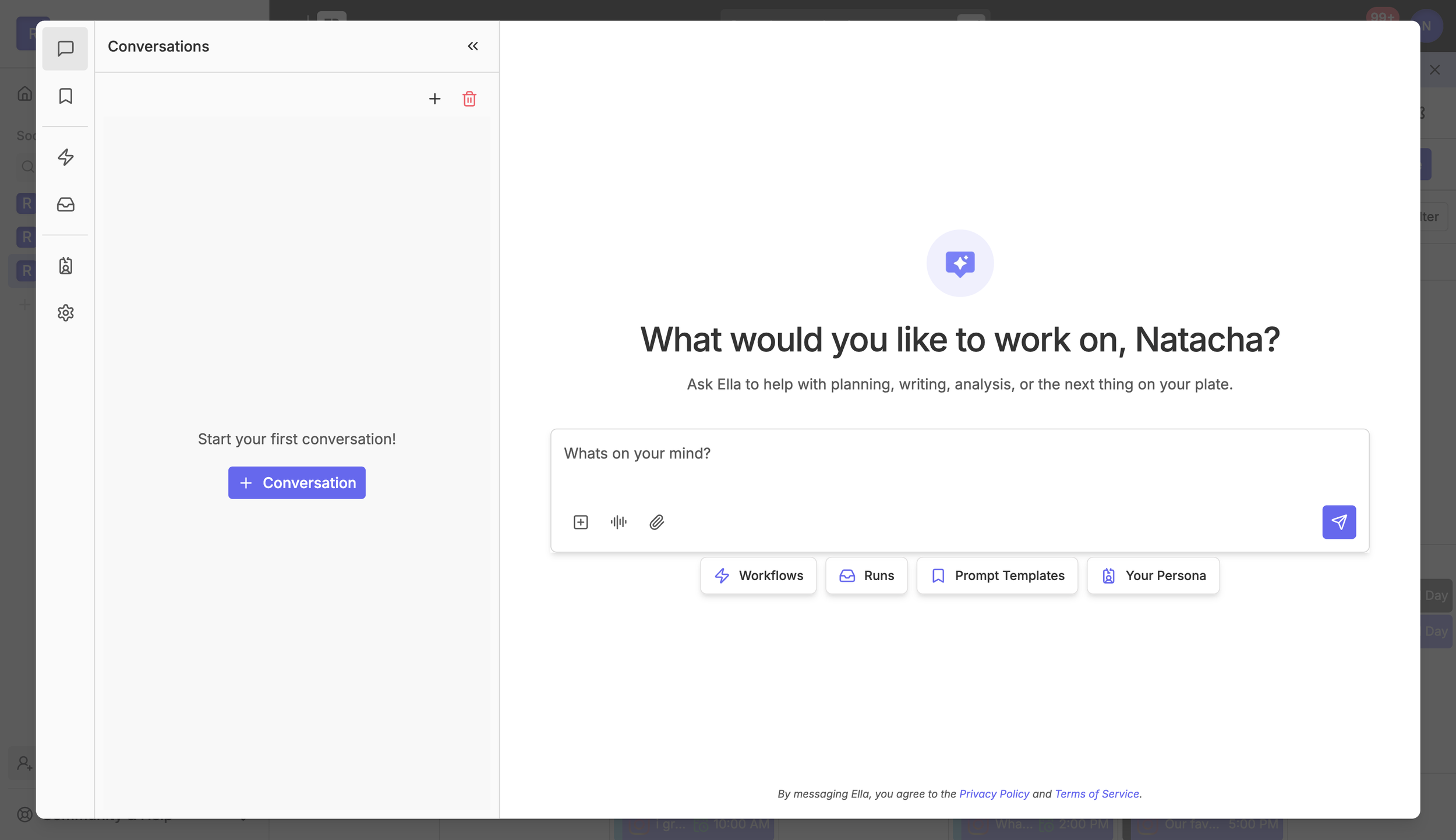
Ask Ella to help with planning, writing, analysis, strategy, or anything else on your plate. Start a new conversation anytime and access past conversations in the left panel.
Ella can analyze connected Rella accounts, pull data, suggest on-brand content, rewrite captions, build strategy plans, and update items in your Social Space — all within the flow of a conversation.
Add Items
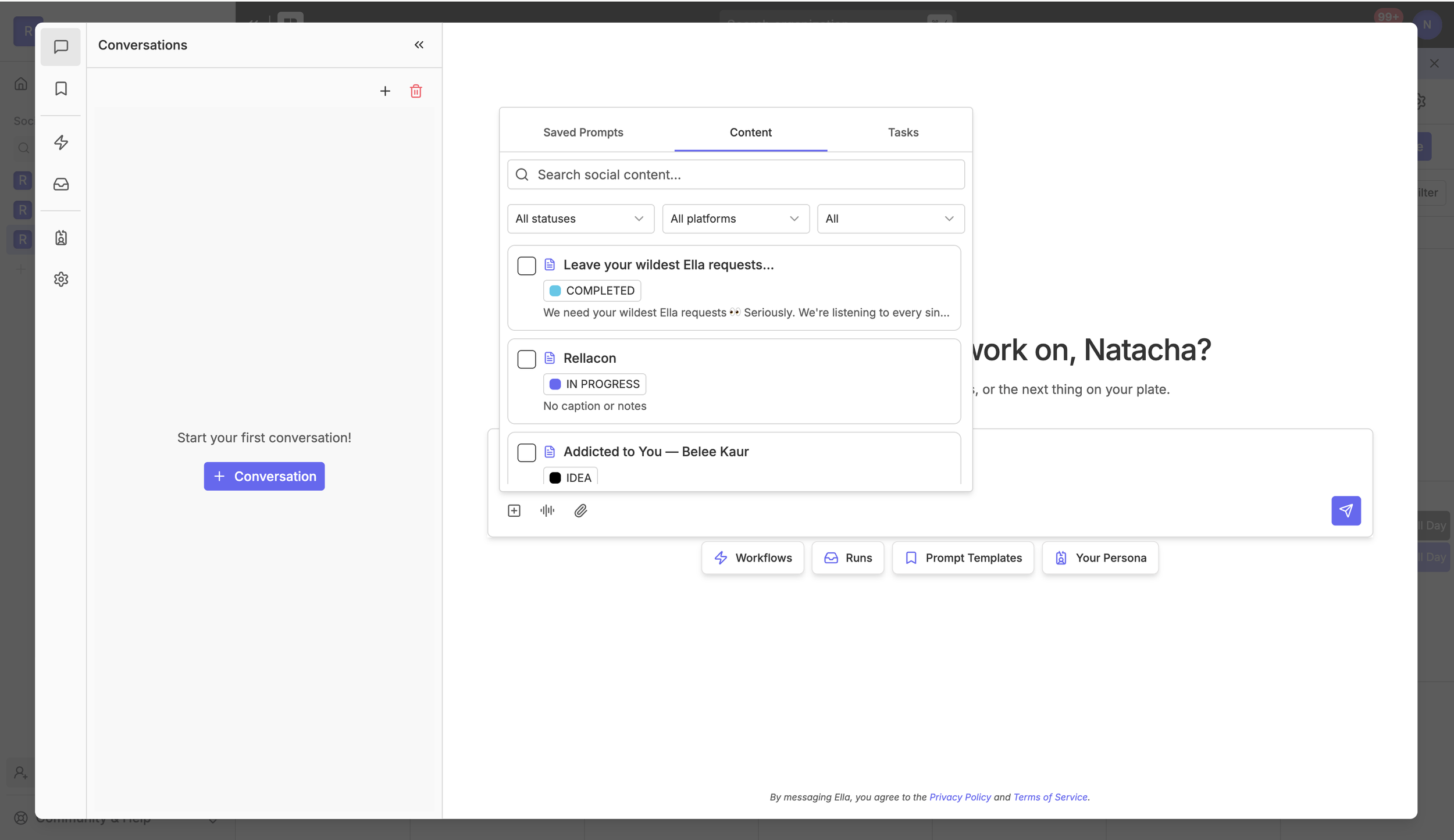
Reference items within your Social Space as context for Ella to act on. Click the + icon in the chat box to browse Saved Prompts, Content, and Tasks. Filter by status, platform, or type to find exactly what you need. This is useful any time you want Ella to work with something that already exists in your pipeline.
Voice Dictation
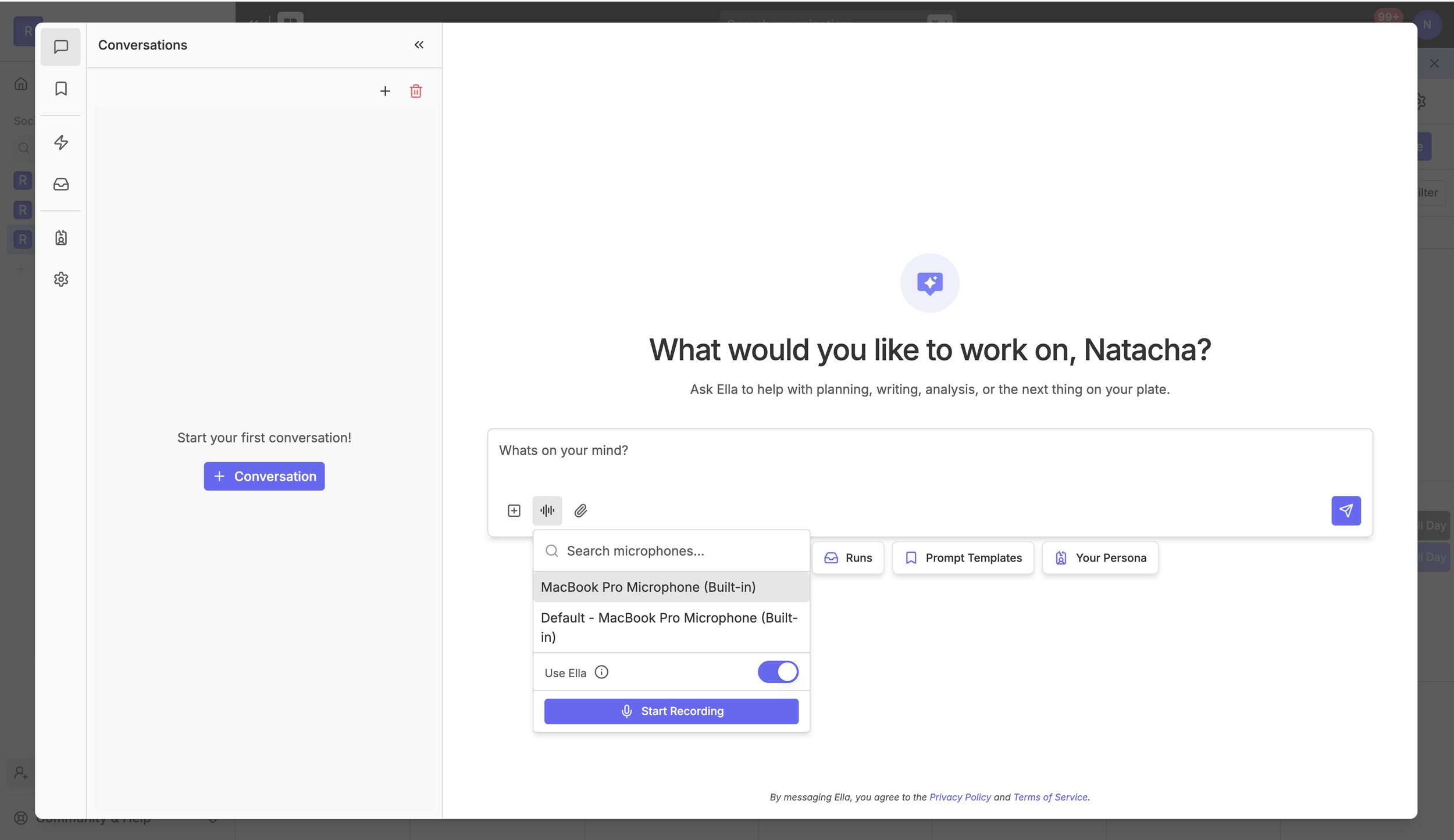
Save time and communicate your way within Ella’s chat. Ella’s capable of transcribing (1) directly within the chat (2) or when you upload an audio file.
To use Voice Dictation:
Click the microphone icon in the chat and select your preferred microphone from the dropdown.
Toggle Use Ella to choose how your voice is transcribed. Leaving it off uses your browser's native transcription (best for quicker responses, does not use Ella credits). Turning it on counts towards Ella usage in exchange for better accuracy (recommended when precision matters).
Click Start Recording, speak, and Ella handles the rest.
Voice dictation is especially helpful for capturing on-the-go content ideas, leaving context for a Workflow, or describing what you need without composing a formal prompt.
Attach Files
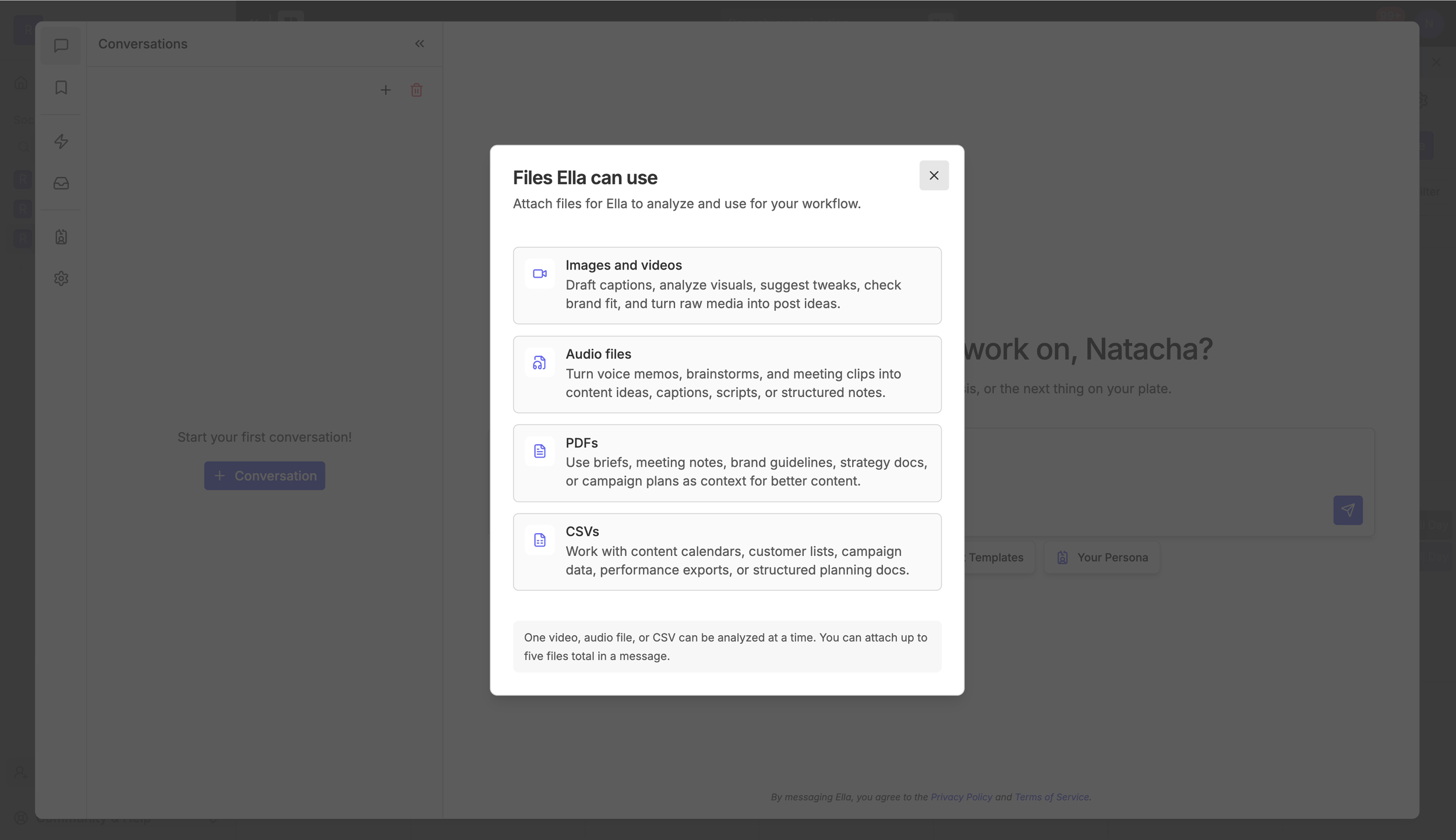
Click the paperclip icon in the chat to attach files from your device or from Rella's gallery of previously uploaded files. Attaching files is a great way to bring information from outside Rella into your workspace, giving Ella the context she needs to produce more relevant, on-brand results.
File types Ella can work with:
Images and videos. Draft captions, analyze visuals, suggest tweaks, check brand fit, and turn raw media into post ideas.
Audio files. Turn voice memos, brainstorms, and meeting clips into content ideas, captions, scripts, or structured notes.
PDFs. Use briefs, meeting notes, brand guidelines, strategy docs, or campaign plans as context for better content.
CSVs. Work with content calendars, customer lists, campaign data, performance exports, or structured planning docs.
You can attach up to five files per message. One video, audio file, or CSV can be analyzed at a time.
Prompts
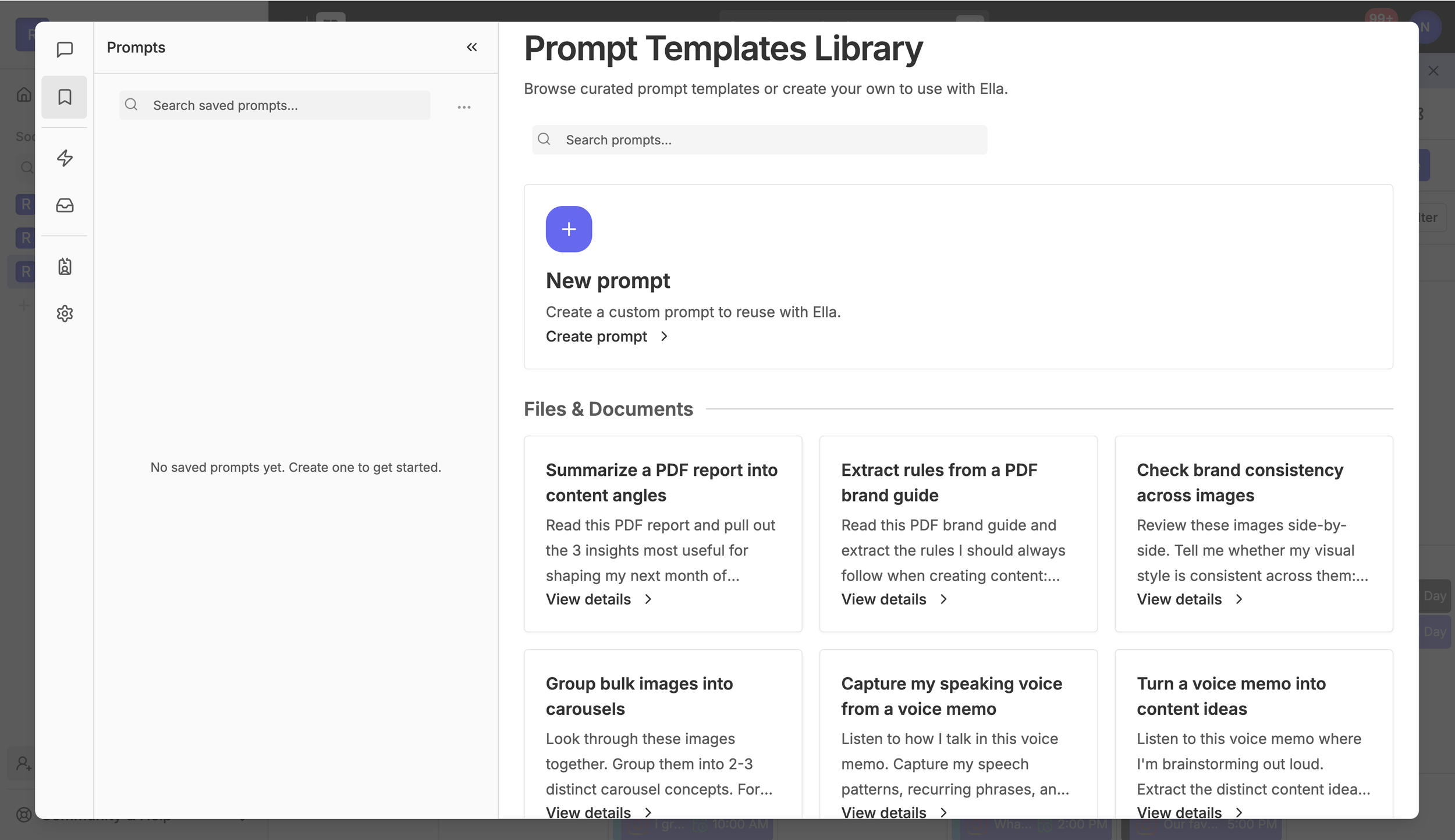
Prompts are ready-to-use templates that make it easier to get the most out of Ella. Either way, templates remove the guesswork and save time, especially for processes you return to often.
Browse Rella's curated library for inspiration on what Ella can do, or
Save your own for frequently referenced requests. Either way, templates remove the guesswork and save time — especially for tasks you return to often.
Access the library from the bookmark icon in the left navigation panel. Templates are organized by category, and you can search by keyword to find what you need quickly. Click View details on any template to preview the full prompt before using it.
When you click Use Prompt, Ella will open the chat with the prompt already loaded. Just hit enter and Ella gets to work. To save a template for future use, click Save from the details view and it will appear in your saved prompts panel for quick access anytime.
You can also create your own templates. Click New Prompt in the library to write and save a custom prompt tailored to your workflow. Custom prompts are great when you've already figured out the right way to ask.
Workflows
Resource: 📄 Create Custom Automated Workflows
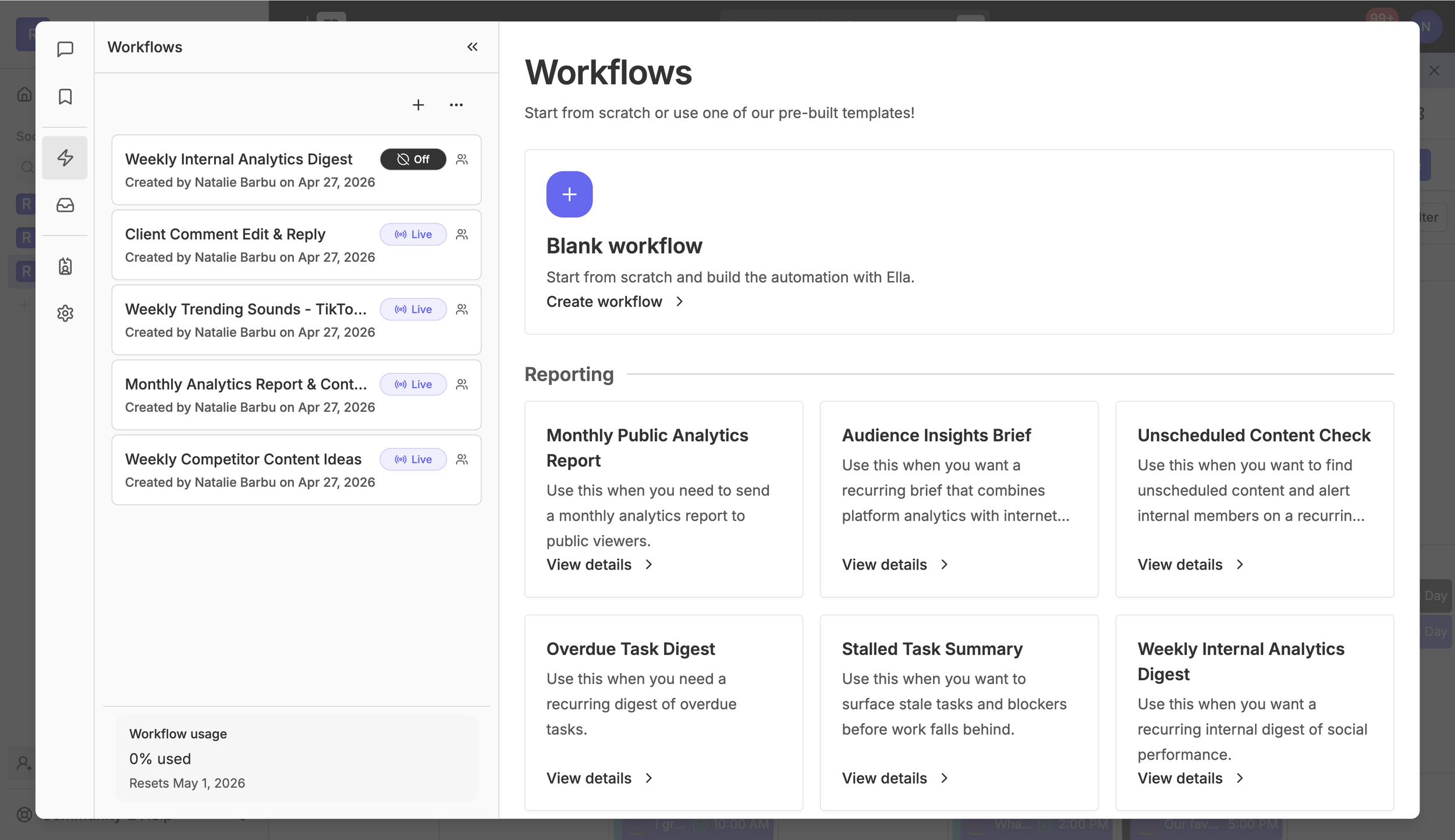
Workflows let you automate recurring process entirely. Set them up once, put them on a schedule, and let Ella handle the rest on autopilot. Use workflows to research internet search results, analyze performance data, draft and save content, share emails to contacts, send replies to comments, and more.
Access Workflows from the lightning bolt icon in the left navigation panel. Start from a blank workflow or choose from Rella's pre-built templates, organized by category.
Examples of Workflows Ella handles:
Weekly competitor content research. Search the web every Monday, synthesize what competitors are posting, and save ideas as a note in Rella.
Monthly analytics reports. Generate a report, analyze insights, email it to contacts, and create new content ideas based on what's working.
Weekly trending sounds. Find trending sounds on TikTok and Instagram and create posts on the calendar.
Comment management. When a comment requests an edit, apply the change and post a confirmation reply.
Internal analytics digest. Surface performance highlights for the internal members every week.
Personas
Resource: 📄 Align Your Brand Voice with an AI Persona
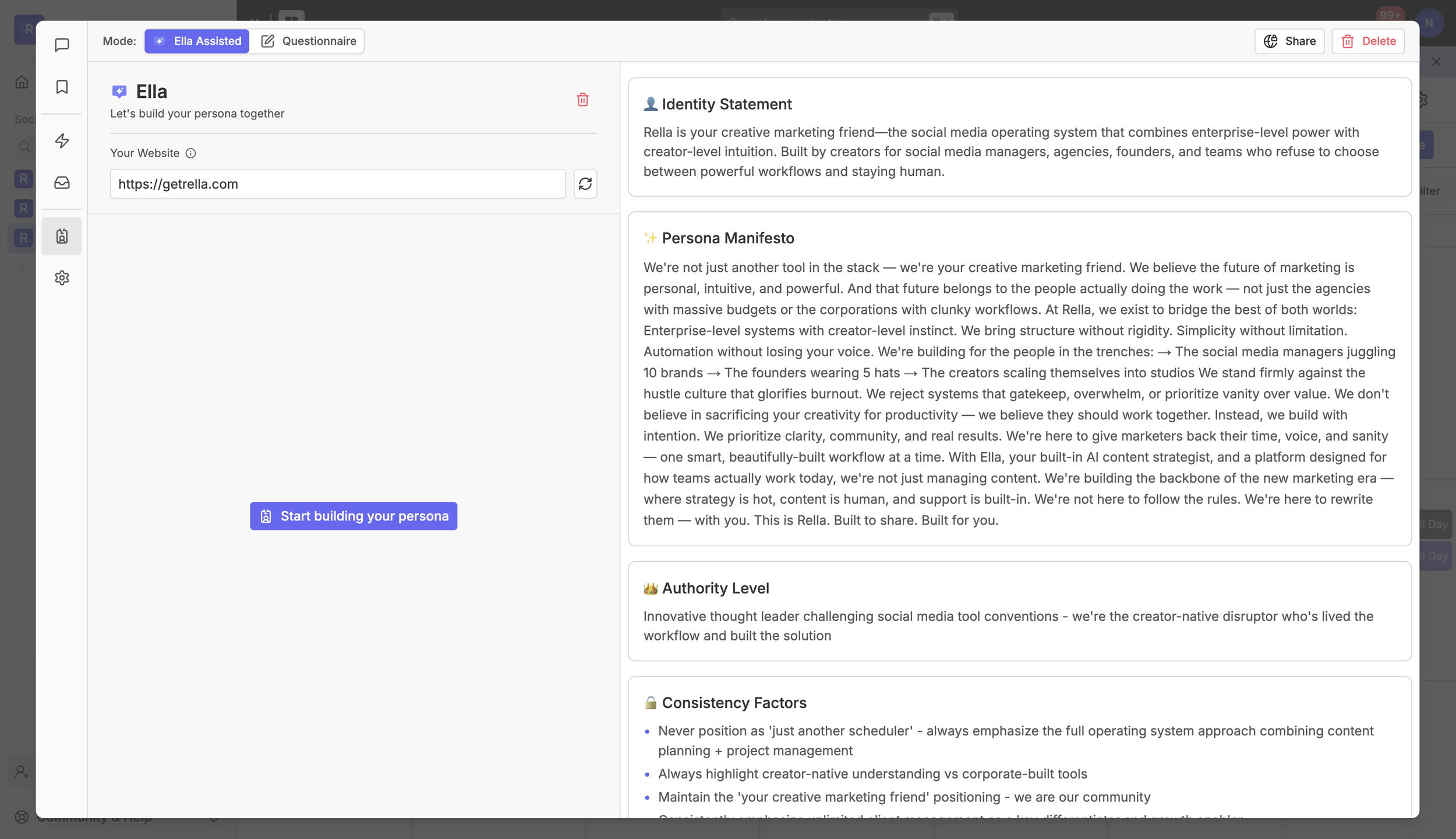
Your Persona is the foundation Ella uses to match your tone, voice, audience, and content style across every interaction. The more complete your Persona, the more on-brand Ella's recommendations will be — across conversations, content drafts, and Workflows.
Personas are per Social Space, so each business you manage can have its own distinct voice and guidelines.
Billing & Usage
Resource: 📄 Manage Your AI Usage, Quotas, and Overage Settings
Each conversation message and Workflow step uses a different amount of credits based on complexity. Simple tasks like rewriting a caption use fewer credits, while advanced multi-step Workflows use more. Track your usage anytime under Settings → Ella Spend & Limits.
To access usage details, go to your Organization settings (top left) > Billing > Ella Usage
Ella FAQs
Is there a limit to how much I can use Ella?
Rella Premium includes a set amount of Ella usage. Once you hit your limit, you can continue using Ella by purchasing additional credits on a pay-as-you-go basis. This flexible approach ensures you only pay for what you actually use and encourages more thoughtful, intentional AI usage without waste.
Rella Premium Plus gives access to unlimited usage!
Is my content shared with third-party AI providers?
When you use Ella, your input may be sent to trusted third-party AI providers (like OpenAI, Anthropic, and Google Gemini) to generate responses. We don’t use your content to train our models, but these providers may use it by their privacy policies. We only send the minimum necessary data to generate responses.
What is the environmental impact of using AI with Ella?
We care deeply about building tools that are not only powerful but also thoughtful. Ella is powered by third-party machine learning providers whose infrastructure and sustainability efforts vary. For transparency, we always recommend reviewing the environmental policies of the providers behind the models we use, such as OpenAI, Anthropic, and others, to learn more about how they manage data center energy usage and carbon emissions.
While we don’t control the underlying infrastructure, we’re committed to using responsible defaults and promoting efficiency wherever possible.