Post Content Manually
Last updated: June 2, 2026
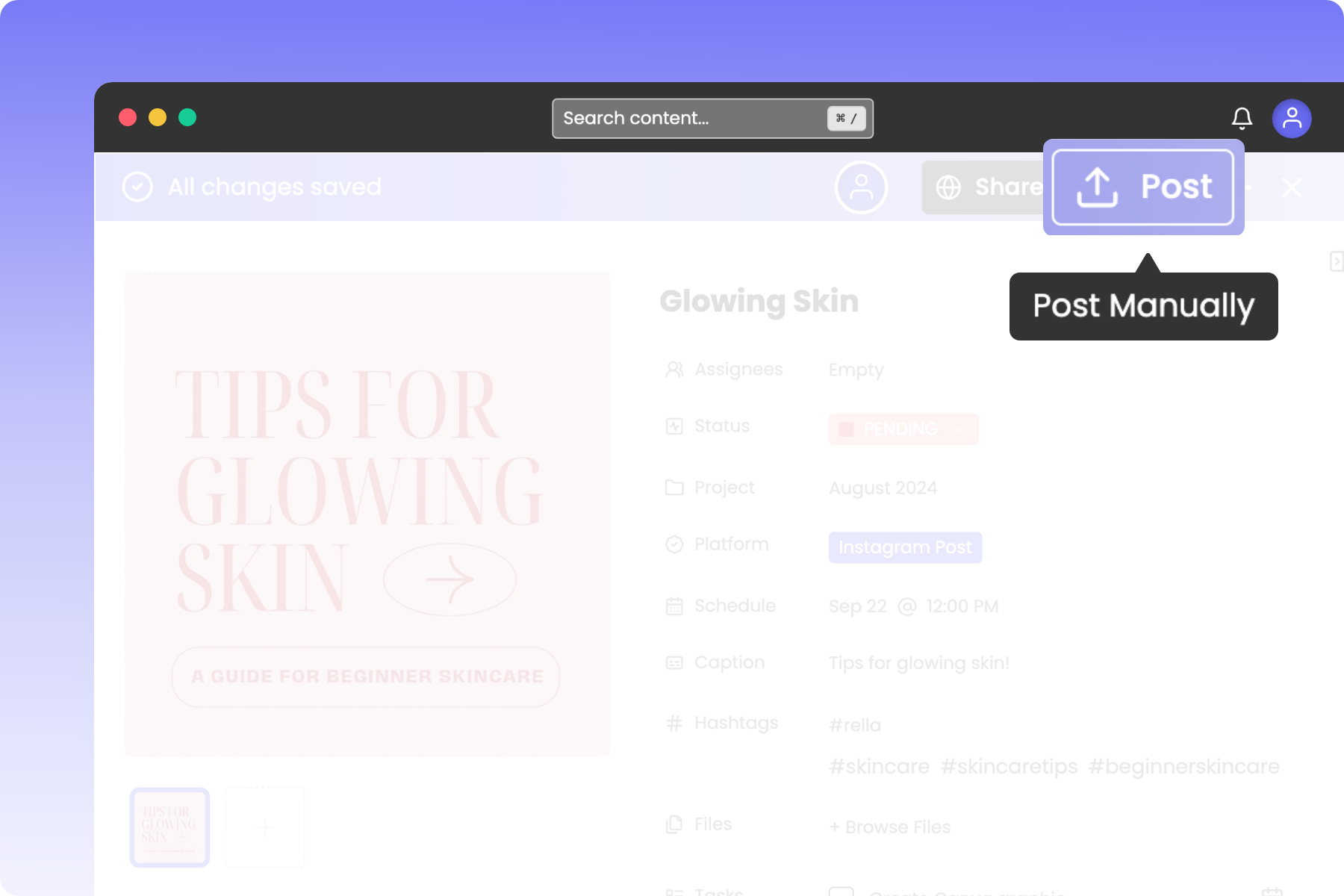
About Post Manually
While auto-publishing handles most social media posts, certain networks, formats, or account types (such as personal profiles) require manual publishing. Rella provides a guided manual posting wizard that lets you download your assets, copy your text, and open your target social app in seconds.
Resource: 📄 Schedule and Autopost Your Social Media Content
How to Post Manually
You must select at least one social platform in the Platform dropdown before launching the manual posting wizard.
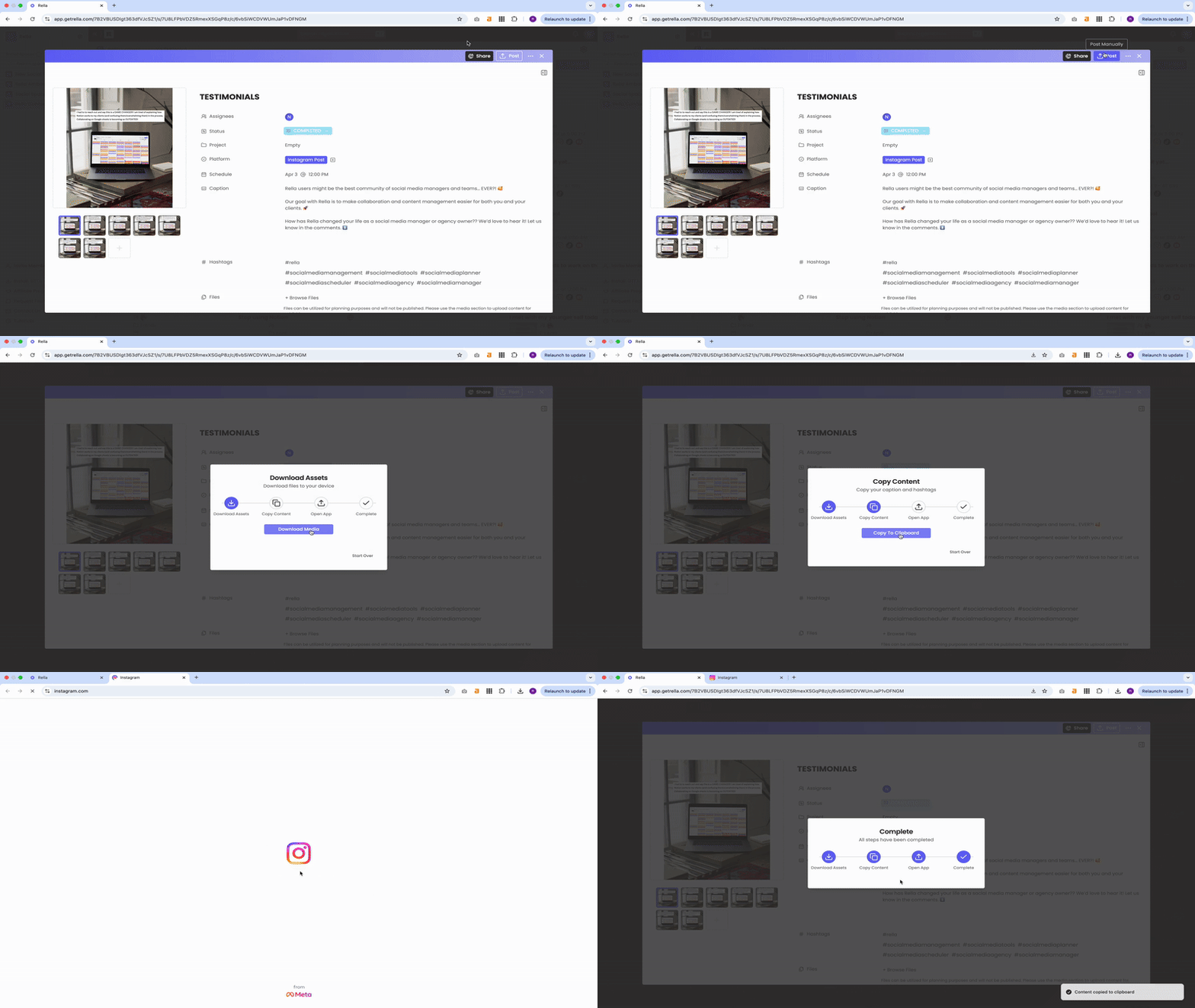
1. Launch the Manual Posting Wizard
Open the Content.
In the header actions bar, click Post (the upload icon).
2. Follow the 4-Step Wizard
Once clicked, Rella launches a structured manual posting drawer or dialog that guides you through the publication steps:
Step 1: Download Assets (Save Media)
Click Download Media (or Save Media). Rella will download your photos or video files directly to your computer or mobile device's local folder.
(Note: If your post has no primary media files attached, Rella will automatically skip this step and go straight to Step 2).
Step 2: Copy Content (Caption & Hashtags)
Rella will automatically compile your Caption text and your listed Hashtags (formatted with leading
#symbols), and copy them to your device's clipboard. You will see a "Content copied to clipboard" success notification.If your browser blocks automatic clipboard copying, a text box will display containing your compiled post text. Select the text inside the box and copy it manually, then click Continue.
Step 3: Open Social App
Click the button corresponding to your target platform (such as Open Instagram, Open TikTok, or Open LinkedIn). Rella will automatically open the platform's native application or site.
Step 4: Complete
Create a new post inside the opened social app, attach your downloaded media assets from your local folder, paste your clipboard copy into the caption area, and publish your post!
Click the close icon on Rella's success modal. Tap Start Over in the footer of the wizard at any point before completion to return to the download stage.
Post Manually FAQs
Nothing happens when I click “Post”
Please make sure you have pop-up blocks disabled to be redirected to your selected platform.
Nothing happens when I’m redirected
Due to API guidelines, Rella will redirect you to your selected platform but you will need to create a new post to paste content.
Can I post manually via mobile?
Yes, install Rella’s mobile app to access manual posting on your phone or tablet!