Automatically send an Instagram DM when someone comments
Last updated: November 25, 2026
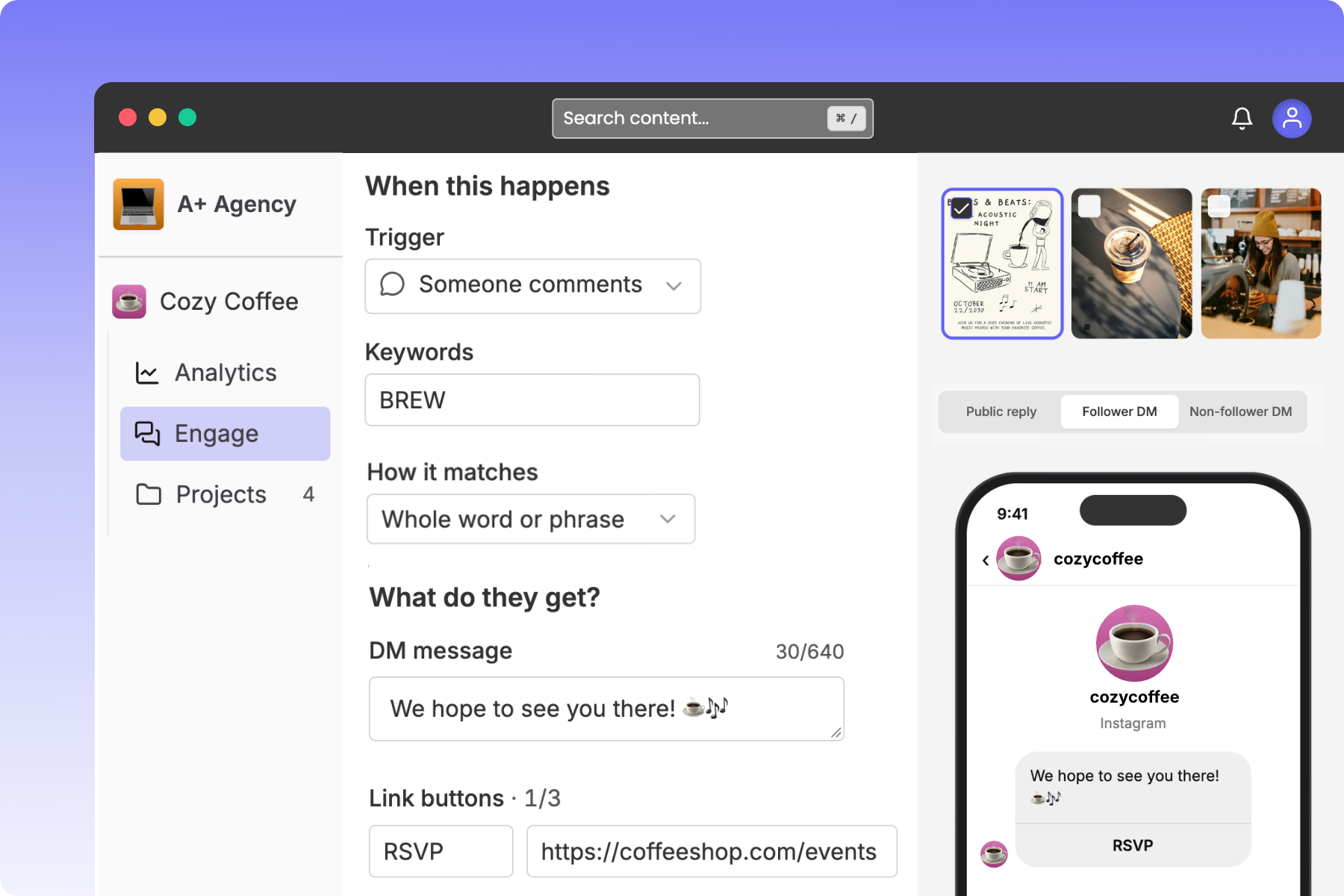
Set up a DM automation while you plan your Instagram content. When someone leaves a matching comment on an eligible post, Rella can send your message and then add a public reply. You can prepare an automation before a scheduled post goes live, so you don't need to set it up on publishing day.
Before you start
Connect the Instagram account you want the automation to use. Each automation belongs to a specific account, not every account in your Social Space.
DM automations currently require Premium or Premium Plus to be enabled for your organization. Only admins and managers can create DM automations.
The feature is marked Free during Early Access for Premium and Premium Plus only. Enjoy DM Automations free during Early Access. We'll let you know before pricing starts and will never charge you without your consent.
Create your automation
Open Engage → DM Automations.
Choose New automation.
Check the connected Instagram account shown in the setup.
Add the keywords that should trigger your message.
Choose how keywords should match the comment.
Whole word or phrase matches the word or phrase, not part of a longer word. For example, LINK does not match LinkedIn.
Exact message matches the full message.
Anywhere in the message can match part of a longer word. Choose this deliberately if you want broader matches.
Add keyword exclusions for comments that should never trigger this automation. An exclusion takes priority even when an included keyword matches.
Write your DM using up to 640 characters.
Add up to three link buttons.
Add up to three versions of the public reply.
Choose which posts the automation covers. Account-wide coverage includes past and future eligible posts, including posts that were not created in Rella. Selected coverage can combine already-published Instagram posts with posts scheduled in Rella.
Enter a sample comment in the preview to check whether it matches.
Review the public reply, follower DM, and non-follower previews.
The preview does not send a message.
Attach an automation before a post goes live
Open your scheduled post in the content editor.
Save the content if it has not been saved yet.
Open the DM Automations panel.
Attach the automation for the post's Instagram account.
The attachment is ready ahead of publishing. Account-wide coverage and an explicit attachment are different ways a post can be covered. Detaching an explicit attachment does not remove account-wide coverage.
Things to know
Instagram comments only. This release does not trigger from incoming keyword DMs, follows, or story replies. Stories are not supported.
Matching does not guarantee a send. The automation must be enabled and cover the correct account and post. A post-specific automation takes priority over an account-wide one.
Repeat comments do not mean repeat DMs. Rella suppresses repeat sends to the same person for the same automation. These appear as Already sent, not failures.
The public reply follows a successful DM send. Rella does not post a public promise of a DM when the DM send fails. A public-reply failure does not undo a successful DM send.
Instagram limits non-follower messaging. Do not rely on link buttons reaching someone who does not follow your account. A button message may fail entirely; a plain-text fallback is not guaranteed.
Check results
Open Engage → DM Automations to review lifetime totals. Expand an automation's Results & activity area to see recorded outcomes, filter them, and load older activity.
People reached counts each successfully messaged person once per automation. Someone reached by two automations counts toward both. It is not a unique-person total across all automations or accounts.
DMs sent counts successful sends, not confirmed delivery or reads.
Link taps counts recorded taps, including repeated taps.
Taps per DM divides taps by sends. A value above 1× is valid because a person can tap more than once. It shows 0× when messages were sent but no taps were recorded, and — when there are no sends.
Sent, Already sent, Failed, and Pending describe recorded activity. The activity count is not a count of every incoming Instagram comment.
Historical totals include archived automations.
Archive or restore an automation
Archiving stops the automation while keeping its results and links already sent in DMs. Use the Archived filter to find it again.
Restoring an automation leaves it disabled. Review it before enabling it again.
Troubleshooting
A matching comment did not receive a DM
Check the automation's account, post coverage, enabled status, and keyword exclusions. Open Results & activity to inspect the recorded outcome. Already sent means repeat-send protection applied. Pending is not a successful send, and Failed is not confirmed delivery.