Request Social Links from Clients
Last updated: June 2, 2026
To have an external person (like a client, external creator, or partner) connect their social media accounts to Rella without creating a full Rella user account, you can use the Request Social Links feature.
Here is a quick summary of the steps to generate and share this connection link:
Open Space Settings: Hover over the active Social Space name in the left navigation sidebar, click the More Options (...) icon, and select Space Settings.
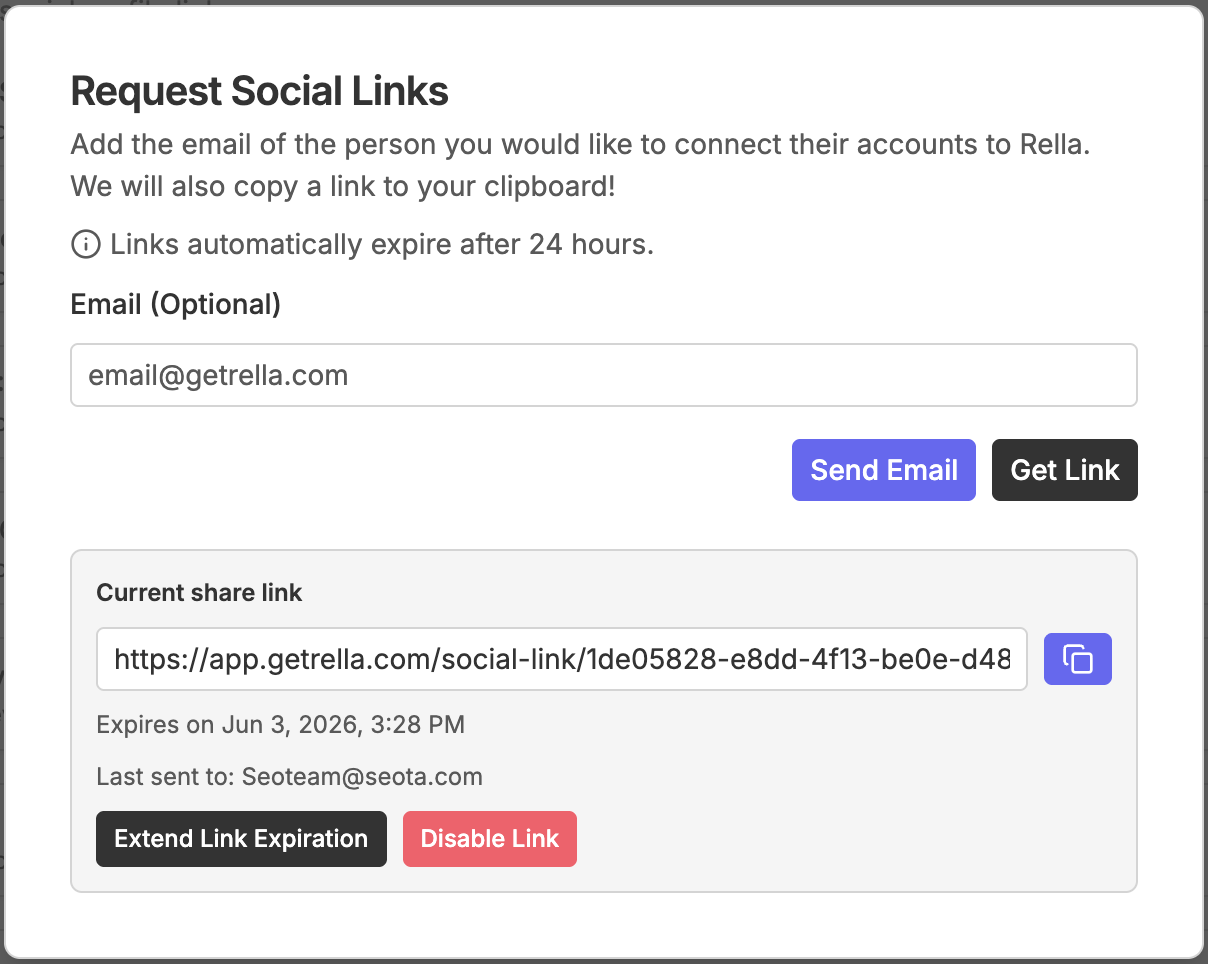
Access the Share Dialog: Click the Links tab at the top of the settings sheet, then select the Share Social Links button.
Generate & Share:
To send via email: Enter the client's email address and click Send Email. They will receive an automated invitation, and the link will be copied to your clipboard.
To share manually: Click Get Link to instantly copy the secure portal URL to your clipboard. You can then paste it directly into Slack, text, or a personal email.
Note: For security, these links automatically expire after 24 hours. You can extend them back to 24 hours or revoke them immediately from the same menu.
Requesting Social Links FAQs
Do clients need to sign up for a Rella account to use the link?
No. The portal is a secure, temporary guest page. Clients can connect their social channels without ever signing up, creating a login, or entering a password.
Why are some of my client's social pages or handles missing?
If your client cannot find a specific Facebook Page or Instagram Business profile, they likely lack the correct permissions on the native network. They must ensure they are an Administrator of the Facebook Page and that their Instagram profile is fully linked to that Page.
Do I have to generate a new link for every social platform?
No. A single invitation link allows the client to connect multiple social channels (for example, both their Instagram and Facebook Page) during a single session.